Showing posts with label Menu Planning. Show all posts

Wednesday, September 28, 2011

Organizing Life Part 4: Scheduling

Is this how you feel in your time organization? "I'm late, I'm late, I'm late for a very important date?" Are you constantly try to catch up on getting everything needed to run a household finished in one 24 hour period of time? I know the feeling, very well. Make sure to read these articles first Organizing Life Part 1: Simplify then Part 2: Strategize and finally Part 3: Systematize if you haven't already.
Let me tell you a little secret. I hate schedules! Now, that I have confessed, I understand the reasons for needing a schedule. I can plan accordingly for items and  I use paper to help keep me accountable to the clock a little more, because I understand the value of having a plan.


An old proverb says it best. "He who fails to plan, plans to fail."

A business can't be run without schedules, neither can a home run well without one. Life in general has a schedule. After all God organized time in the Beginning...He  created years, days, and hours for a reason. In reality we all have to meet a schedule whether it is our own or that of someone else. It makes time organization a big factor in the ability to accomplish tasks or go about living in disorganized chaos.

There are several types of schedules: hourly, daily, weekly, monthly, yearly etc. Creating your schedule will include factors that you included in getting a system that works. Let's get started:
  • Start big and then work smaller. Come up with what you want to be accomplished over the next year. Write down goals and needs large and small. This is just what you want not a set concrete system, just a plan to get started. Here is a Goal Plan Form
  • Move to a semester (3month) plan or a seasonal plan that lists specific items that need to be scheduled to get through the year systematically. Then break it down monthly. Want a great household half-size planner or purse size planner? see Donna Young Purse size planner   DonnaYoung Household Planner

Donna Young has a lot of information, worksheets and a computer excel program with her whole web site directly linked as well as a virtual planner for a school year and an automated chore chart maker. She has spent 100s of hours creating these forms and planners most of which are free for downloading to save you money and time! The computerized version planners are available on CD along with her whole website linked for you for only $25.00. Look here: for information on the Young Minds CD . It is a wonderful way to use her website without being online.
  • Work out a weekly schedule, it can be variable or the same from week to week. Include your household chores, meal planning, schooling, field trips and appointments. Vary it as needed. 
  • Daily tasks need to written out as an hourly routine or a general outline of tasks to be covered. You can work with an hour by hour chart or a handy daily checklist to ensure everything gets covered. Both types can be found here: Daily Schedule Planners

I usually go for a generalized plan of action for each day. We have a vary broad age range in our home and needs vary hour to hour and day to day. I work with a format that lists out the goals to be accomplished that day for cleaning, meals, chores, school and free time. Dad will usually let us know of at least one task he would like to have done each day as well. When everything is finished then it is free time. It may vary.
I found an excel planner for excel that I might use at DIY Planner Kits called  Chaos Oasis . I would of course now need to learn excel, well part of my study course I guess.
  DIY Planner has printable planners all downloadable for free (for non commercial use) they come in classical A4 or 81/2" X11" . I think I'll start there and save excel for later.

I won't forget the smart phone schedulers so here is a freebie  pick for scheduling Cozi Family Planner

Happy Scheduling! If you have any links or ideas please share them, we love any tips that people would like to share. I can't physically surf the net to find the "perfect" plan so feel free to list any links or resources you know of.




Friday, September 23, 2011

Organizing Life Part 3: Systematize

Now we are getting to the heart of "Organizing Life." It is creating a system that will work for you and helping keep track of all the things that need to be done in a day. If you have simplified the areas that you know aren't working, and come up with a strategy to get it done(see:Organizing Life Part 1 and Organizing Life Part 2), then you are ready to start systematizing. I am going to focus on some main areas of organization  and the ways  I run a household with a husband, children, housework, home schooling and meal planning.
For a system to work it needs to be user friendly and do-able. Often we can plan for failure by trying to plan too much and then end up frustrated and abandon the plan all-together.
September seems to do it in home schooling families more than the normal January start to a calendar year. There are marvelous plans made in the mind to be done for the home schooling year and then reality hits and things start to get in the way. Holidays creep up, family obligations, sickness, appointments, burn out,  and boredom. A system of success will plan in for the unexpected and allow for life's unending schedule changes.


  • This is where you put your brain on paper when you can't remember what needs to be done next. See: Organized Mom and Brain In A Binder Pages For Purchase
  • Make it as simple or complex as you need. Remember you are unique and so will your schedule be.
  • Make broad categories and then sub-catergorize as needed. (Ex: Housework-daily chores-monthly cleaning-semi annual-annual cleaning)
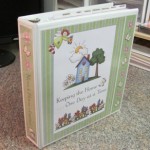
  • I put my notebook pages in a large 3 ring D binder. I also use plastic page protectors   I found them from Sam's Club and only about 20.00 for 200, 8 1/2" X 11" pages. These are very helpful to guard against spills, and using them as wipe off page with dry erase markers. I also use them to protect recipes and music pages for our downloaded worship song pages.
  • I also recommend tabs. These are very nice to find the section you need in a hurry for your Home Management Binder instead of flipping every page. I used Post-It Flags that I got from Dollar General for $1.00 each color. 3M has a great coupon deal right now until 11/30/2011 for $2.00 off a minimum of $4.00 in post-it flags. These tabs are great: they can be written on and removed whenever you want(with no marks). I use them in our books to mark pages, in teacher's manuals-to keep track of lessons, book mark Bible pages and as place holders for favorite recipes.
  • Another popular smaller sized pre-made organizer is by Franklin Covey  where you can build your own system and add what you want and then reorder pages when you need it. Price is around $25.00 to get started with your own design. They come in binder style or spiral bound.
 Electronic Organization Systems  Top Apps for I Phone & Top Apps for Android 
  • I must admit I haven't gotten into this area of organization and productivity. I only am listing ideas that others have used and found helpful for organizing their lives. I include it here because I know there are a lot of people switching their  life's schedules into an electronic virtual calendar of events. Personally, I prefer paper, because technology is constantly becoming outdated and failing. Imagine your entire life on a virtual device and one short circuit happens,  your whole organization schedules and personal info gone *poof* in an instant. Talk about frustration, I get frustrated when I can't find the car keys, I can't imagine everything I did gone when I lost my phone or dropped it in puddle.
  • The top apps for smartphone users created just for moms.  It does sound intriguing as a back up, but for now I can't justify the $200 plus cost of a smartphone and the $30 month extra charge for using the internet on the phone to have all these wonderful tools and have them suck my time away.
  • Since I know the apps are being used, after research I did find the saying true, that there is an app for everything. Here is one for housework, another for meal planning  , home scheduling, calendar and syncing of programs and grocery buying. Just need to find one that will do it all  for you now.
  • I also am thinking about eliminating the need for so many books, which I love and have 1000s of them. I might actually break down and get a kindle or nook. It would be nice for traveling light and it allows you to download all pre-1923 books for free about(1.8million). Gotta love the classics! Probably will save up for it, who knows. Heard great reviews about them, but then again if it crashes there go all your books.
 How It All Fits Together
Put main categories first in your system, what takes the most time, and plan around it and for it. Don't forget to check out the spring planner pages  at Passionate Homemaking for ideas in your system.

http://momstoolbelt.com/


My Home Management Binder Includes:   
The Home Management Binder is a work in progress, so it changes as our needs change. Anything not used gets thrown away and another item takes it place.
Let me know about your system and share any links or ideas that work for you! I am always eager to hear of new and better ideas.

Tuesday, December 14, 2010

Menu Planning Helper Tool

Getting Close to Supper? Kids wanting something different than the usual? No inspiration?  
Well, I found a great little kitchen helper.

Go ahead look in the fridge, see what you have then go to: Dinner Tool type what you have on hand into a box and the dinner tool will find recipes that call for those ingredients you have for you. 
It even has a weekly planner and a search bar for just recipe look ups, with catergories such as easy, make ahead, diet restrictions, budget, fast and healthy. It even offers coupons with the recipe ingredients from Coupons.com
I love the concept, I constantly look in my fridge and have meals planned around what I have on hand. We live 30 minutes from a grocery store so, I am not able to just run out and grab an ingredient. Thanks Dinner Tool for the new helper in my kitchen.
Let's see what's for supper? Let me know what you think.

 He's definitely a satisfied customer now!